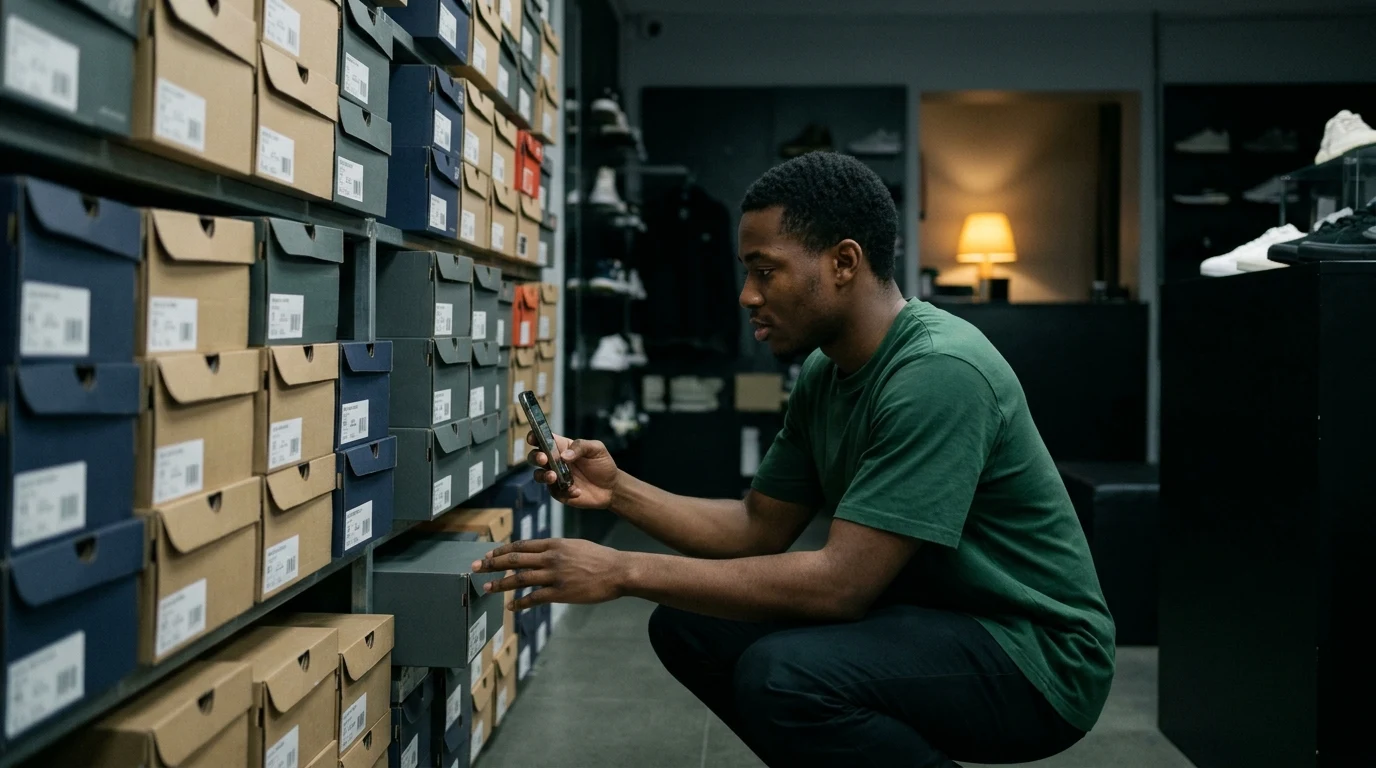
Quantinvo, for stores that do their own counting.
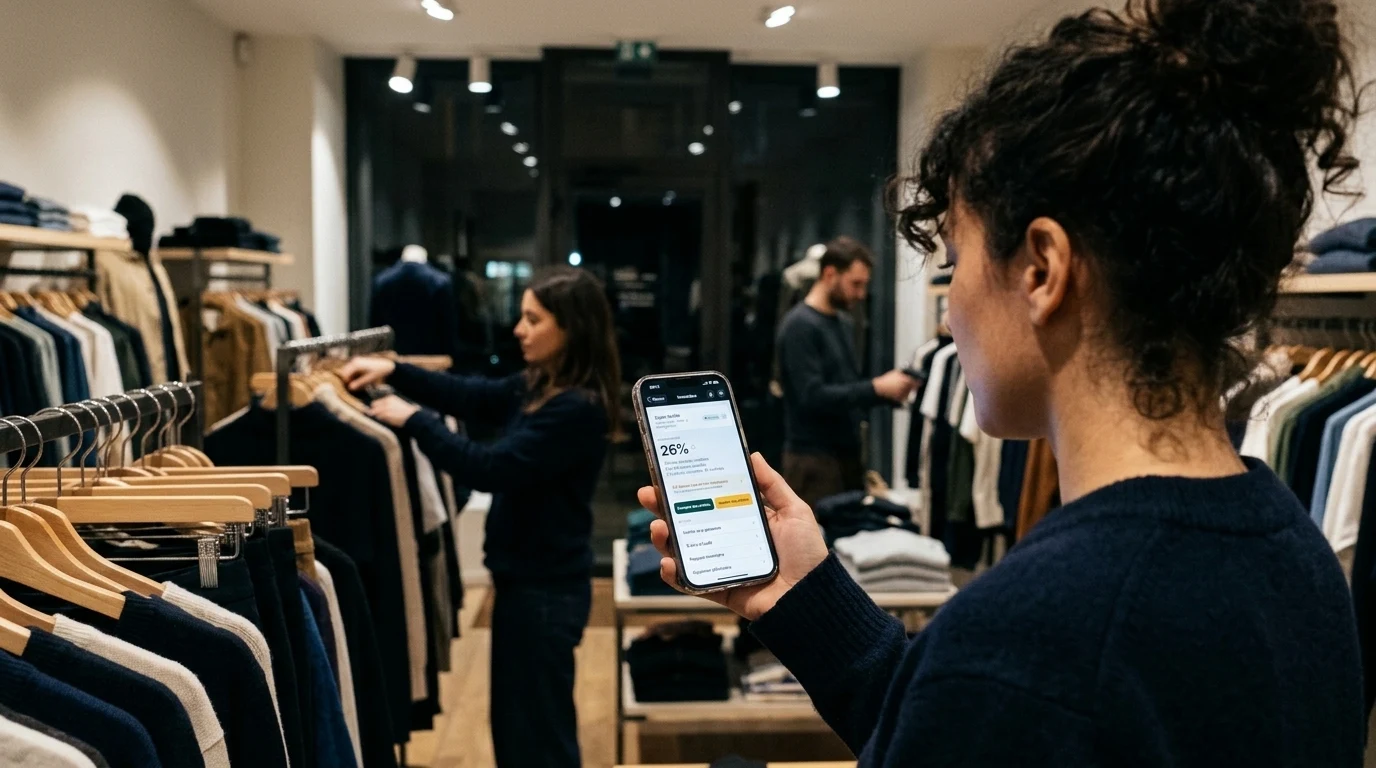
Planning, scanning, the second count, the report and your loss analysis all sit in one tool. Your teams count with their phones.
What’s inside
See our plansA stocktake, from the day before to the month after
The day before
The item file is imported, the tags are up, the team has its invitation.
That morning
You upload the expected stock. The day before, it would already have been wrong.
During
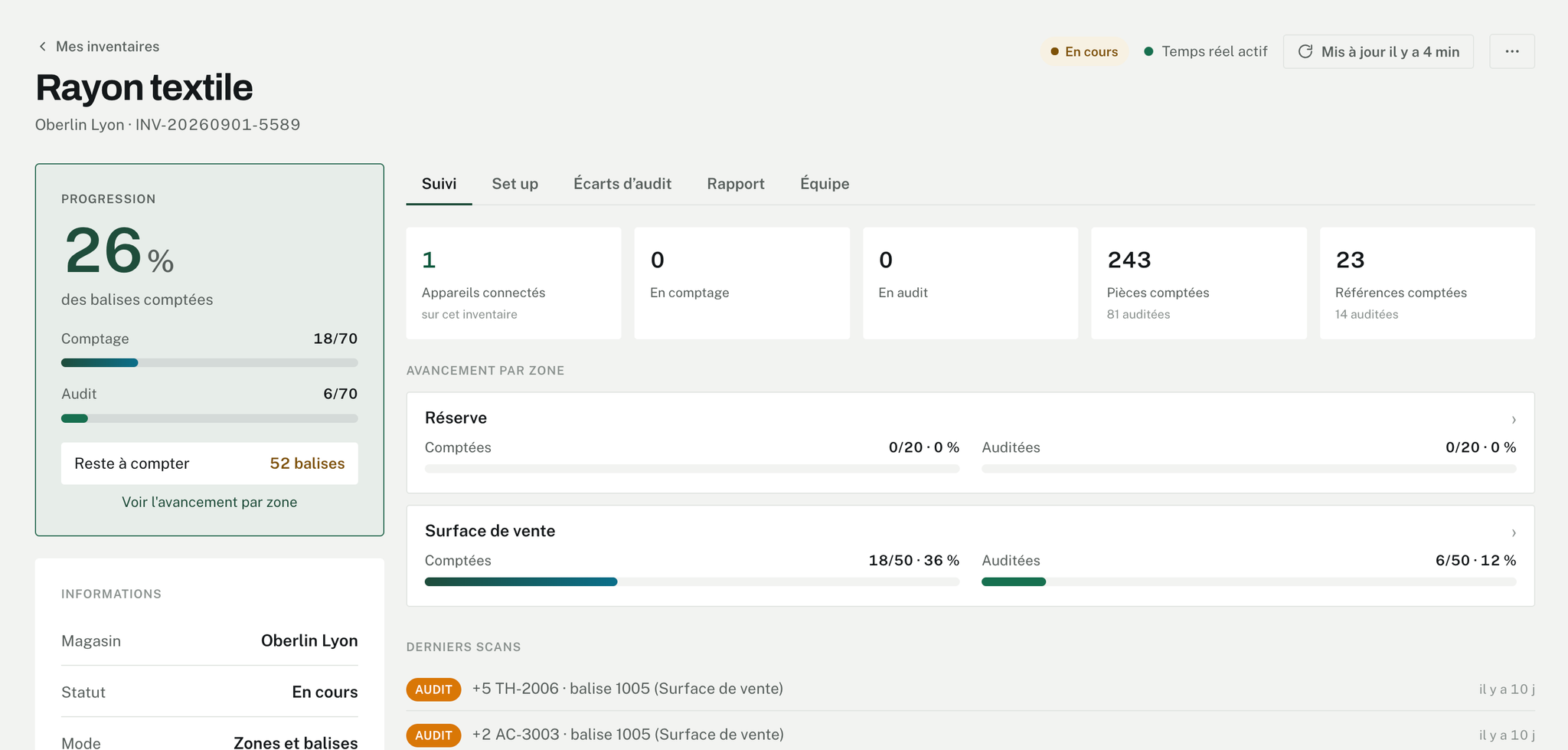
Live tracking shows what is counted and what is left, zone by zone.
Before leaving
The zones to check are recounted while the team is still there.
At closing
The report goes out in Excel, and you correct the stock in your software.
The month after
This stocktake joins the earlier ones in the analysis.
“Has anyone done the stockroom?”
Live tracking answers straight away: stockroom, 0 tags out of 20. No need to walk the store to find out.
One tag per location
A printed QR label stuck on the shelf. You scan it, count, and close it. The sheet works for all your stocktakes.
No signal in the basement
The phone keeps the scans and sends them when the signal returns. An unknown item can be created on the spot, even down there.
A scanner, for the long days
The camera is enough. If you count for hours on end, a Bluetooth scanner takes over, with the phone on the shelf and the screen on. On a French iPhone it types &é"' instead of 1234: the app puts the digits right by itself.
“Is that figure right?”
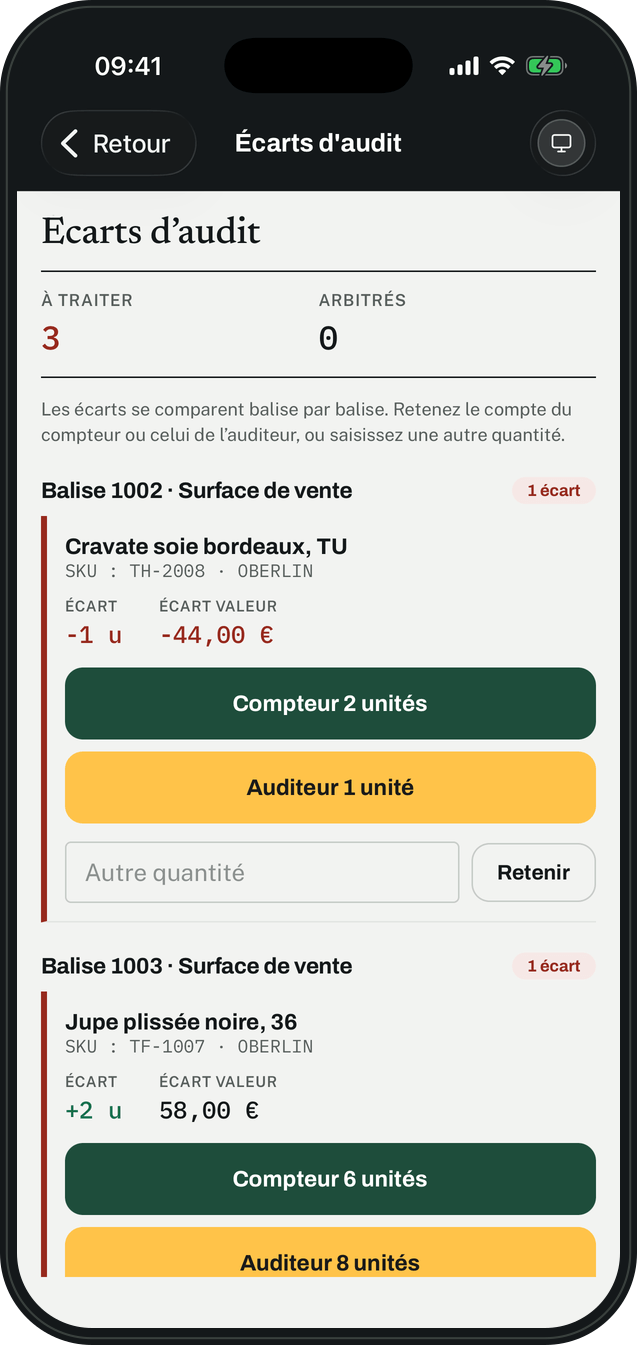
On the zones to check, a second person goes back over them. Quantinvo compares the two counts, tag by tag, and shows you what differs.
For each item, you keep
- the first count,
- the second,
- or another quantity, because you went and looked on the shelf.
If nobody decides, the second count goes into the report, and the report tells you so.
Everyone opens the wrong tag sometimes
“Cancel” removes what this phone has just written. “Recount from zero” empties the tag for the whole team.

The day your accountant asks where that figure came from
The report sets expected stock against counted stock, in units and in purchase value. The Excel export says who counted each line, and who checked it.
The report stays available after closing. The scan-by-scan detail is erased twelve months later.
“When do we count again?”
Set the date, the time and who takes part. The stocktake is created, and everyone gets an email to add to their calendar and answer in one click.
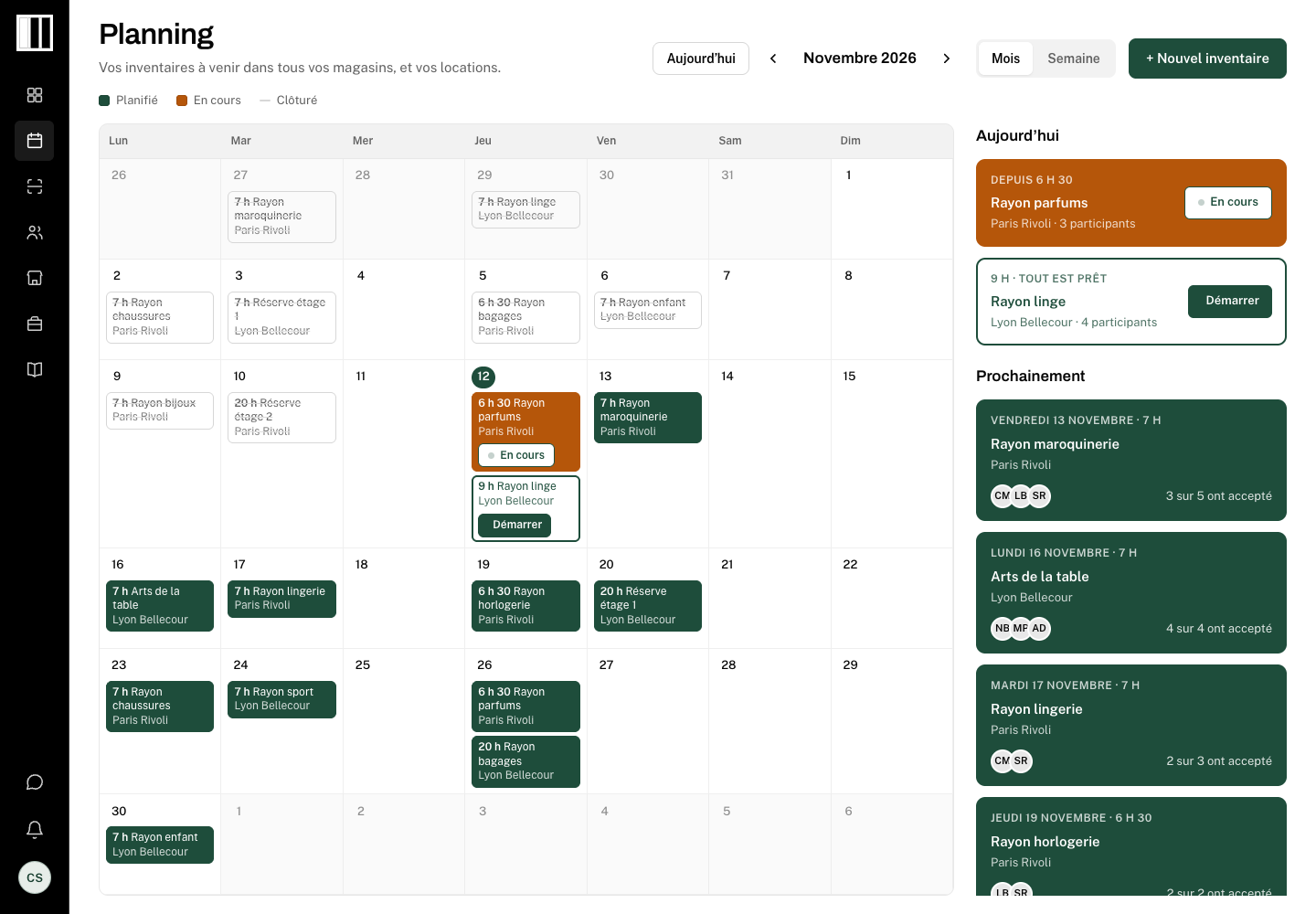
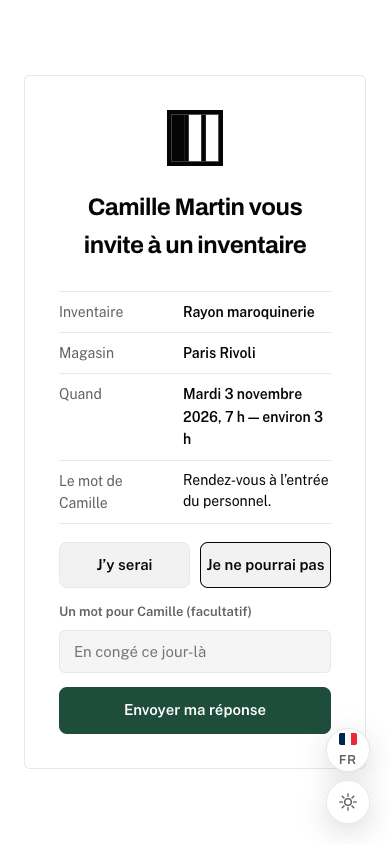
Sample data.
Someone is already booked
Planning warns you as you invite them, if that person is on another stocktake in the same slot. The decision is yours.
The date moves
Guests receive the new date, and the slot moves in their calendar.
One zone a week, if you like
The licence does not count stocktakes. You run as many as you need, and that is what makes cycle counting possible.
“Is it leather goods again?”
Your stocktakes line up by week, by month or over the year, with last year alongside. What keeps coming back ends up showing.
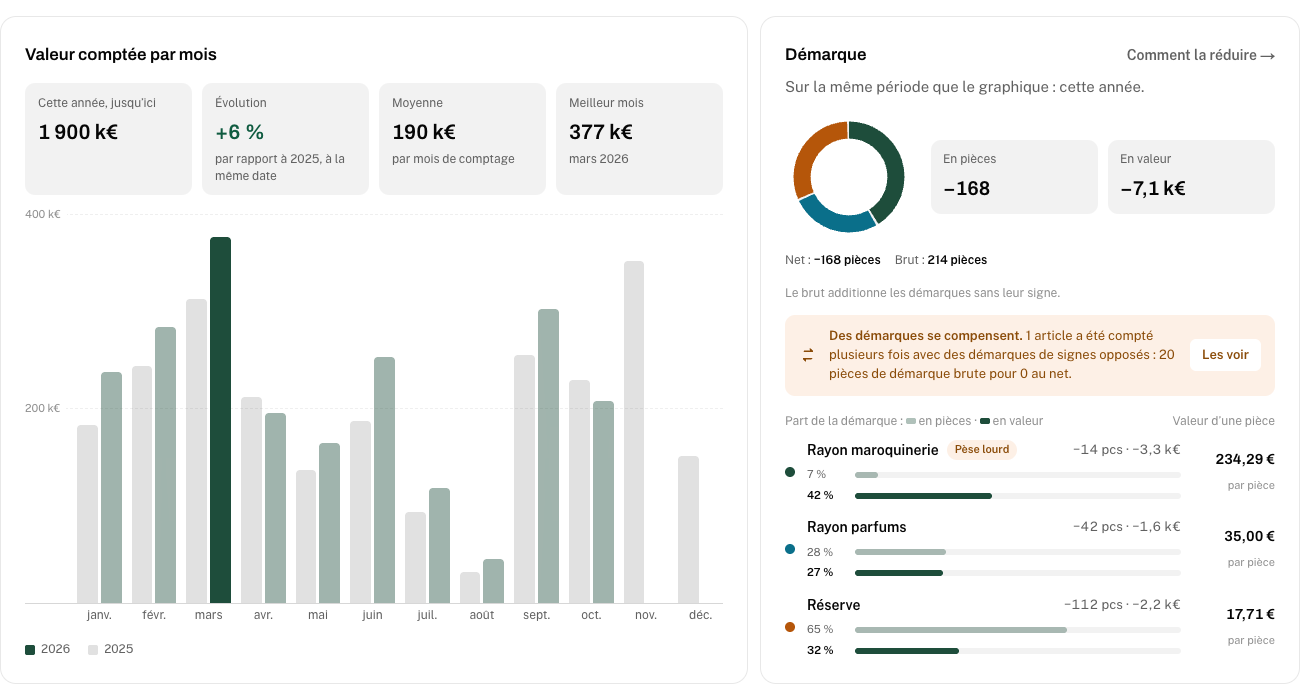
Sample data.
Units and euros don’t tell the same story
Here, the stockroom loses 112 units and leather goods 14. In value, leather goods cost the most: €3.3k against €2.2k.
Losses that cancel out
An item at −10 on one count, +10 on the next: net, zero. Quantinvo flags it anyway.
The items to look at first
A ranking of 5 or 10 items, by value, by units, by share of stock, or the most unstable.
Your till software stays where it is
Quantinvo reads the file as it comes out, in CSV or Excel, and recognises your columns: SKU, EAN, Gencod, Qty.
Excel dropped the leading zero of an EAN? The scan still finds the item.
At the end, the Excel export lets you correct the stock in your software.

“What about the other stores?”
Each store has its own licence, team and stocktakes. The administrator sees them all in one place.
- The counter
- Joins the stocktake with a code and counts their zone.
- The supervisor
- Prepares their stocktakes, follows the count, keeps the right figure. Colleagues’ stocktakes stay theirs.
- The administrator
- Opens the stores, invites the teams, manages the subscription. They also get the report that adds up a store’s closed stocktakes.
The price follows the number of devices counting at the same time, store by store. Accounts are unlimited: ten seasonal staff can take turns on two phones.
What Quantinvo doesn’t do
Better to tell you now.
- Send counters
- Your team does the counting. If you have nobody to call on, a service provider is still the right choice, and our guide compares the two.
- Replace your software
- Quantinvo counts and compares. It knows neither your sales nor your deliveries, and the stock is corrected on your side, with the export.
- Find the cause for you
- It shows you where the loss is and what it weighs. The why is on the shop floor.
I come from stock control, in department stores. What was missing was a tool for running a stocktake in-house. So I created it.
Julien Thiong-Kay, founder of Quantinvo
Start with one aisle.
One licence per store, from €89 a month. Sign up online, with access straight away.