Inventories.
As a team.
Variances live.
Simplicity at your fingertips.
Three steps, and you’re off
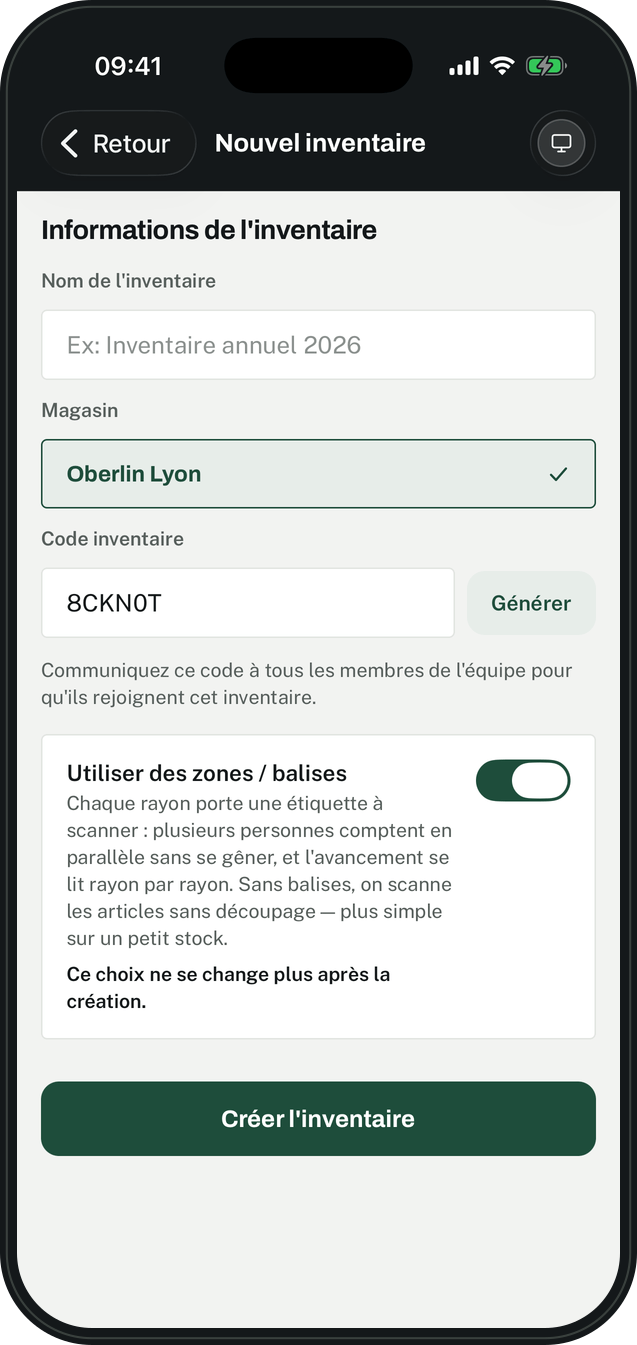
Prepare
A stock file, printed labels.
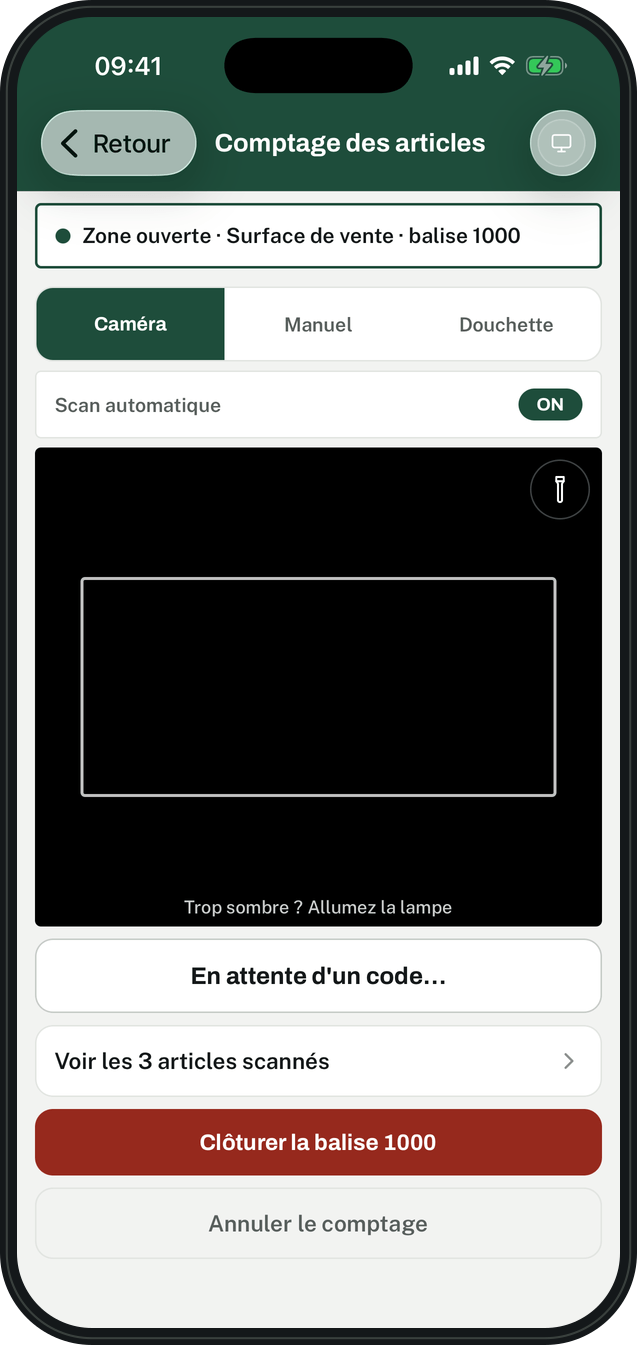
Count
Everyone scans with their phone, each in their own aisle.
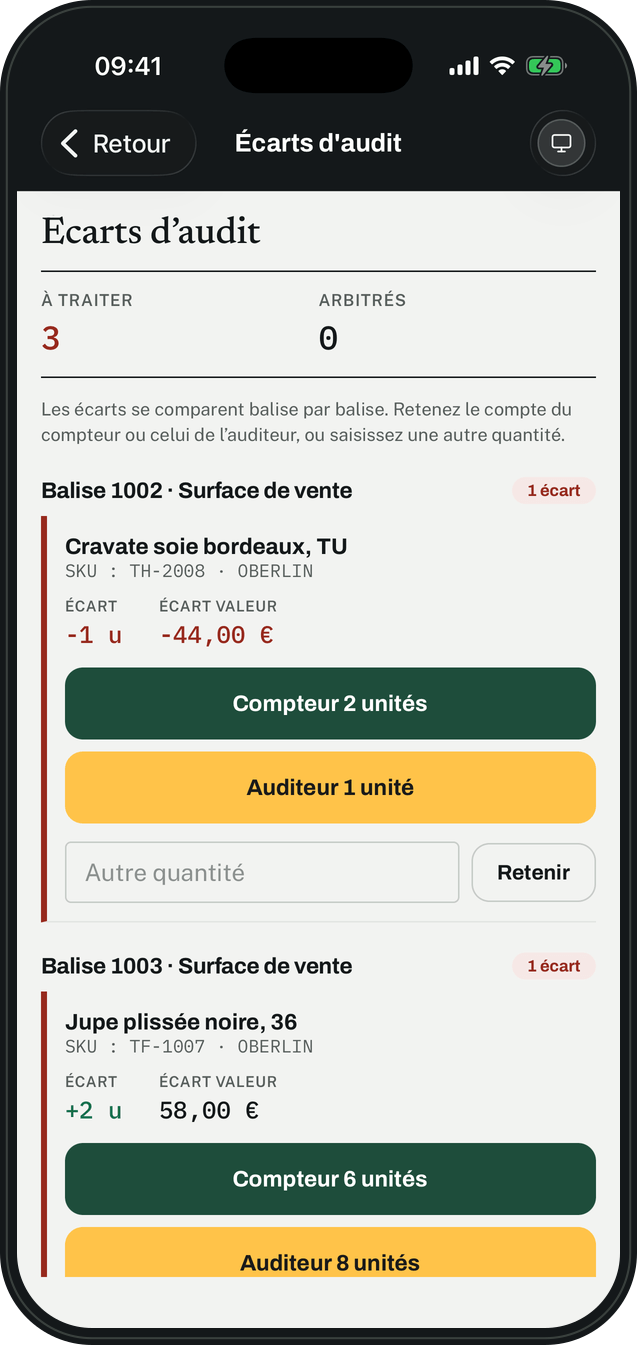
Resolve
Count and audit are compared. You settle on the right figure, then export.
From the aisle to the overview
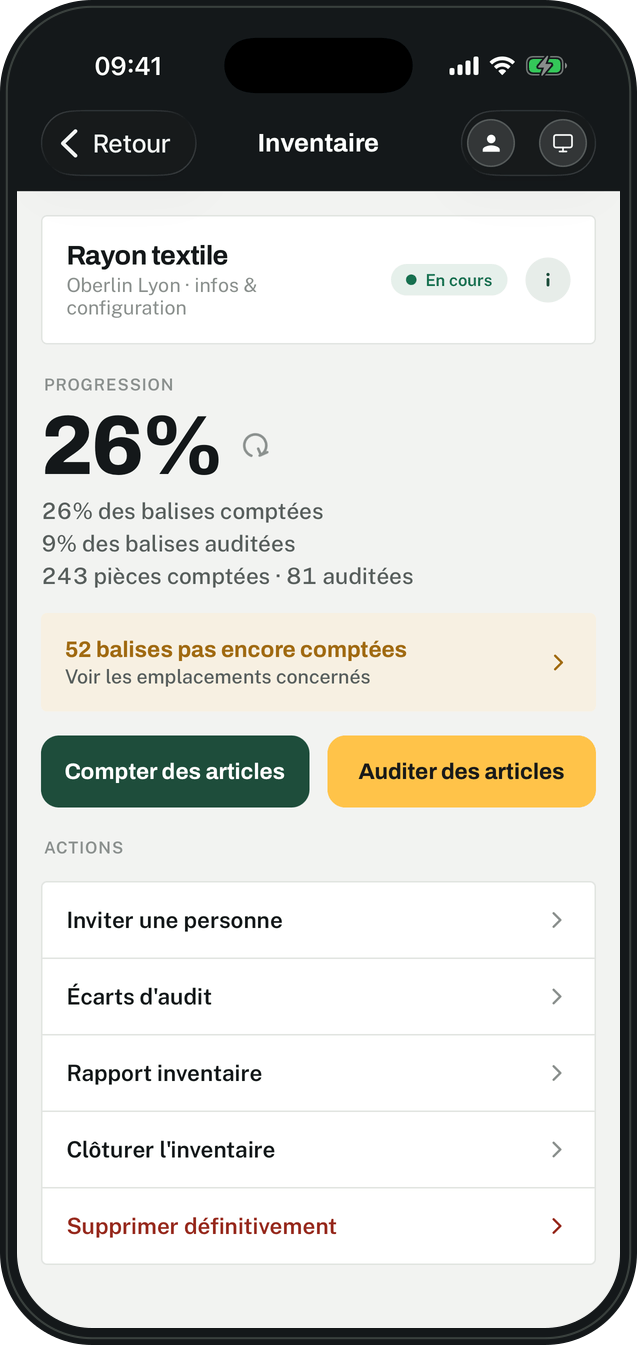
The inventory in your pocket
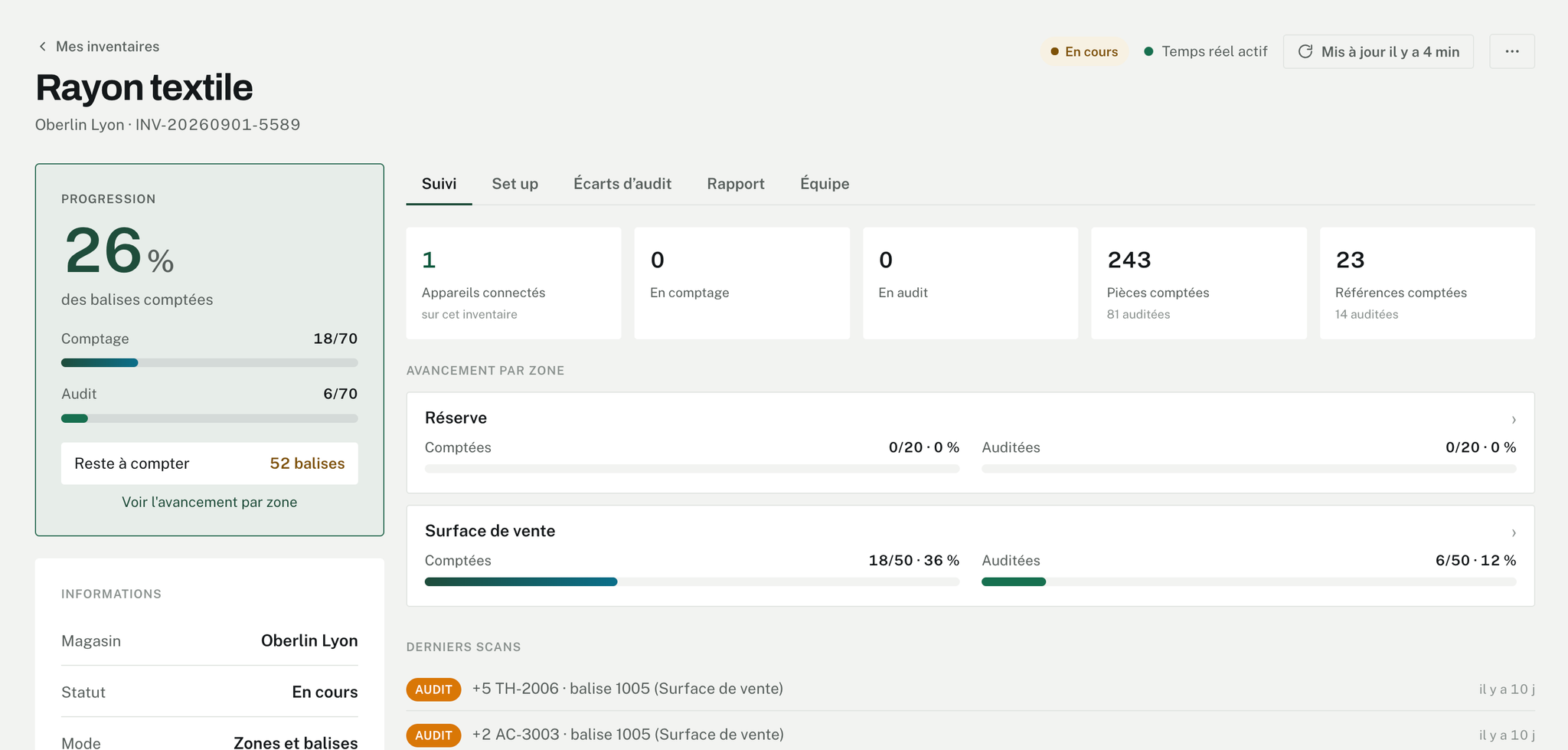
The supervisor follows the inventory from the aisle, without going back to the office.
- Progress in one figureTags counted, tags audited, and the units behind them.
- What is left is named52 tags not counted yet — and the locations concerned.
- The supervisor counts tooCounting or auditing starts from the same screen as the progress view.
- Everything is within reachInvite someone, read the variances, pull the report, close the inventory.
Count without closing the store
One zone a week instead of one big weekend a year. Stock stays accurate all year.
Cycle
One zone after another, week after week.
Targeted
A sensitive aisle, the stockroom, a product family.
Full
The big year-end count, run like the others.
Inventory software, from the first scan to the report
Your teams count with their phones. You follow progress live, from the computer or the app. The report sets counted stock against expected stock, item by item.
Count with your teams’ phones
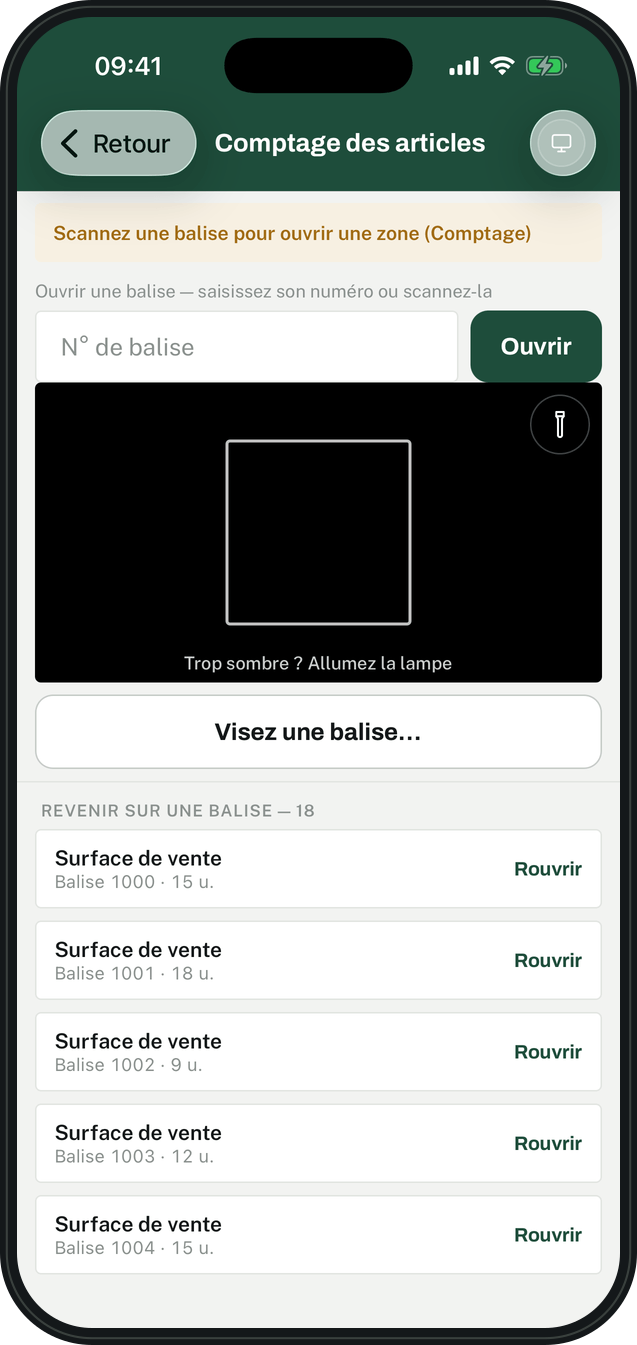
The inventory app turns a smartphone into a barcode scanner: the camera reads the barcodes, on the phone everyone already has in their pocket.
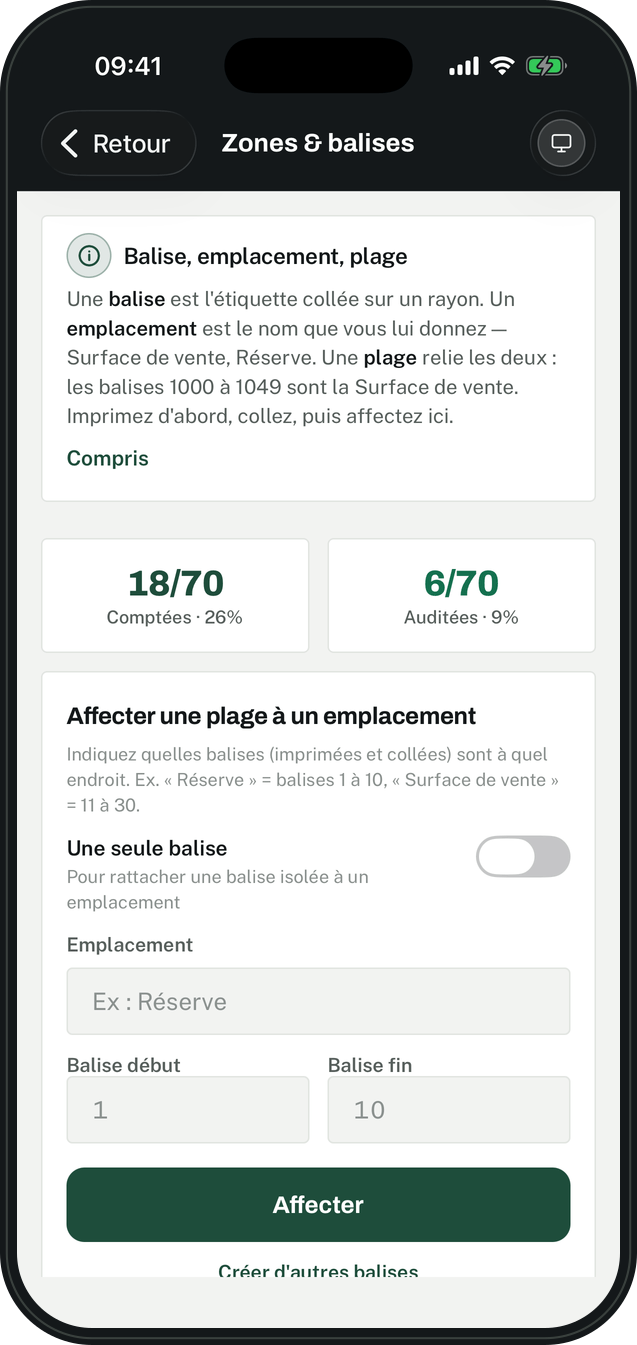
Zones & tags
Each shelf carries a printed tag. You name the locations, the stockroom, the sales floor, and assign each a range of tags.
Fast scanning
Scan the tag to open the zone, then the items with the camera. A tag already counted reopens at the slightest doubt.
Offline
At the back of the stockroom, counting carries on. Everything is sent as soon as the phone is back online.
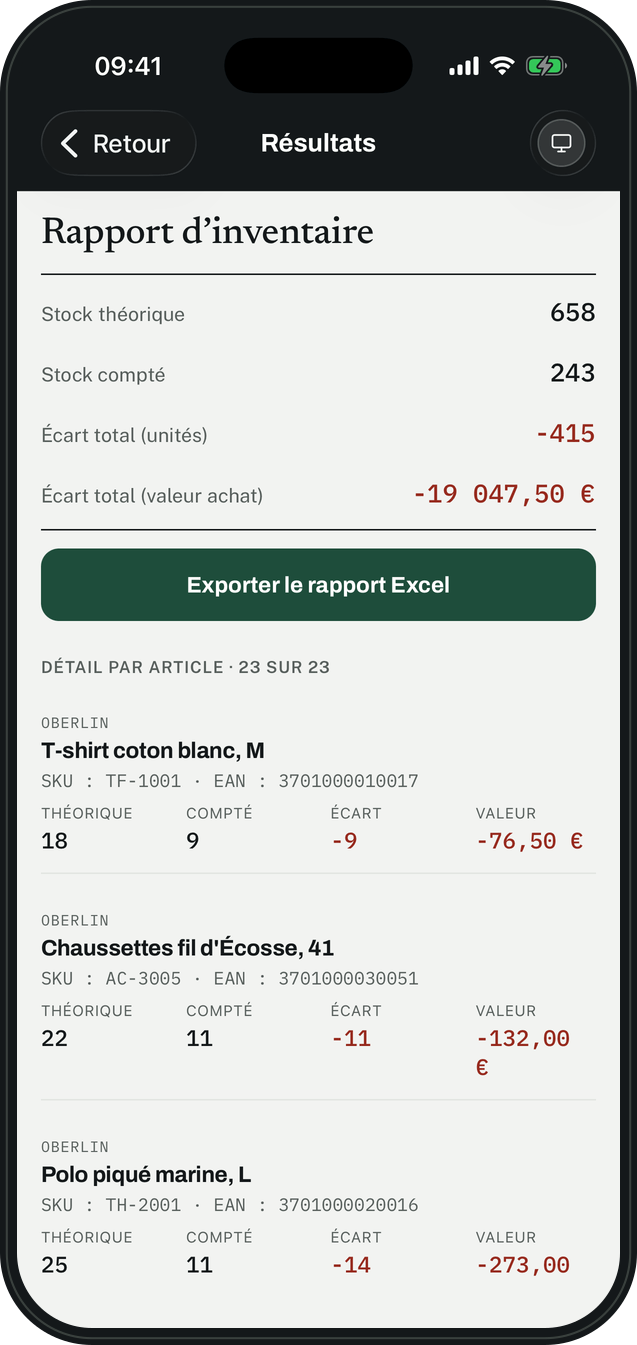
Check before you correct your stock
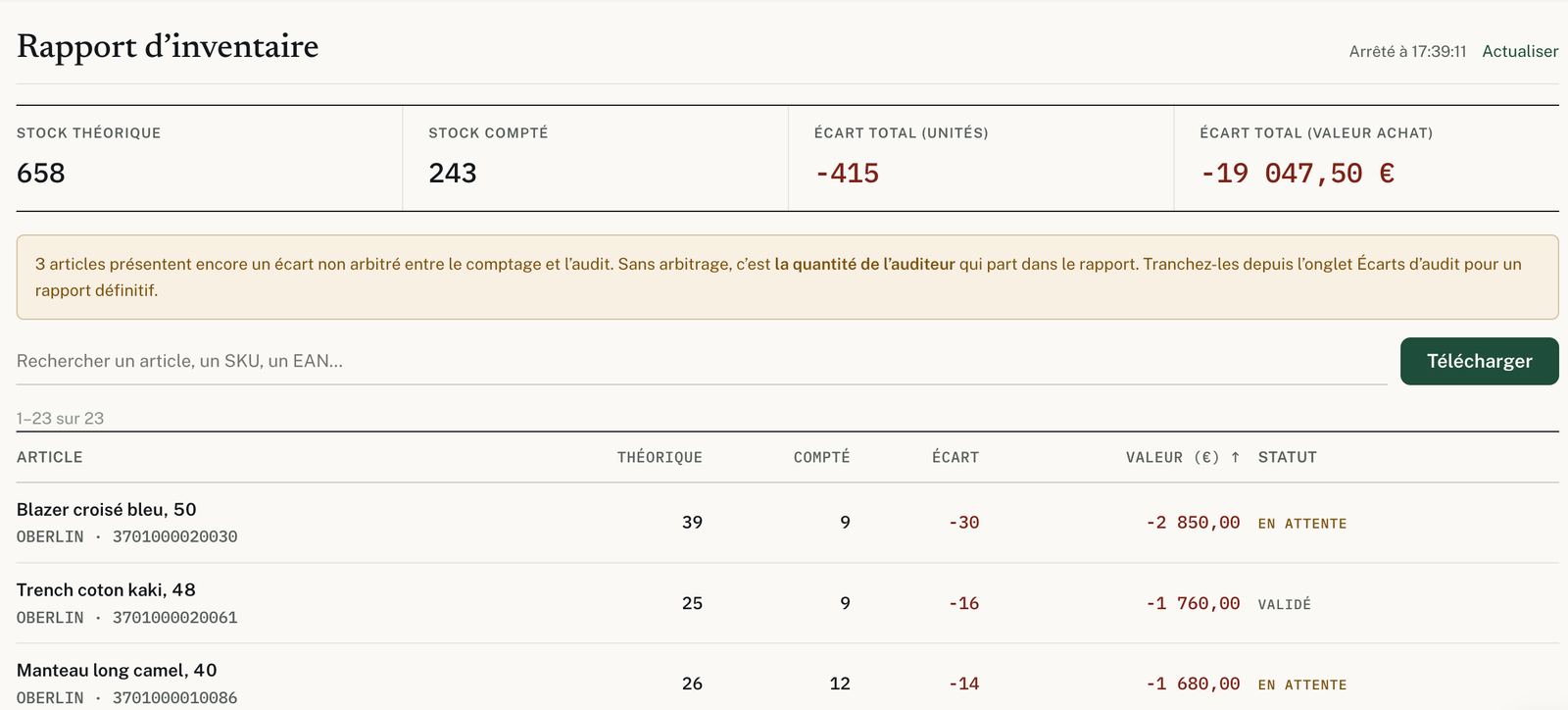
The inventory report sets book stock against counted stock. The variance shows in pieces and in purchase value, in total and then item by item.
A second count
Someone else recounts the zones to check. Where the two counts differ, the supervisor keeps the right figure before the report is final.
Every item in detail
Find an item by its name, SKU or EAN code, and see what is missing or in excess.
Excel export
The report downloads as Excel from the website as from the app, in quantity and in value.
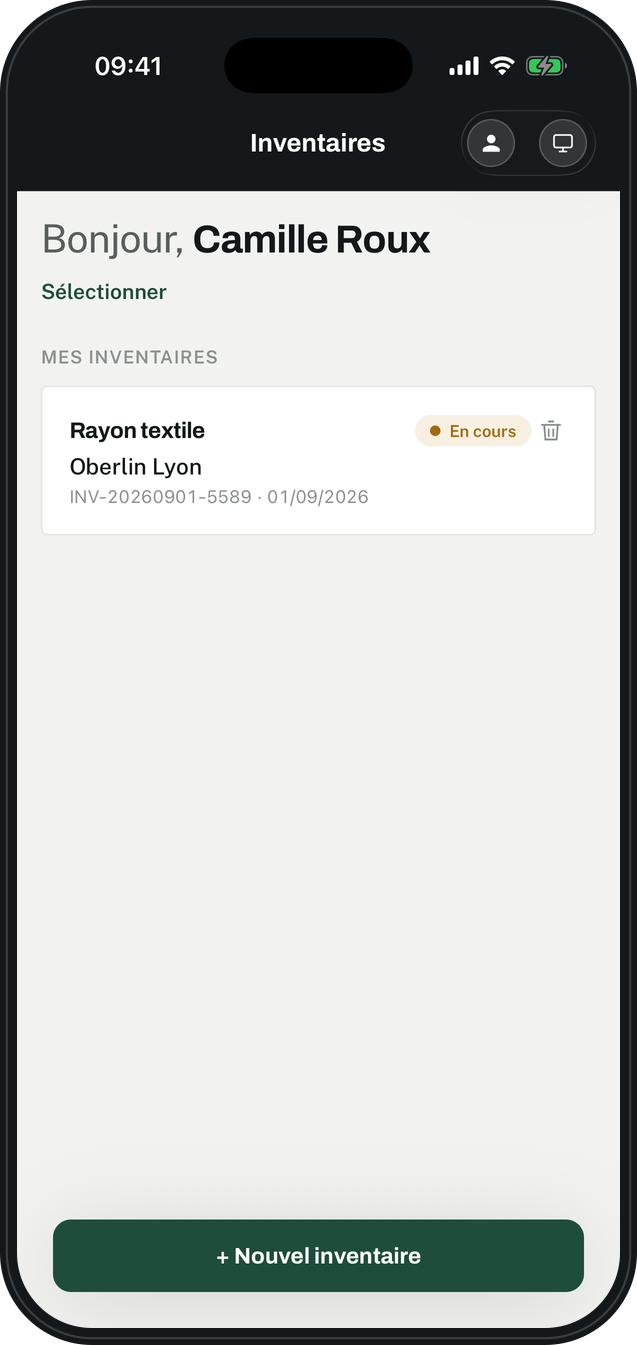
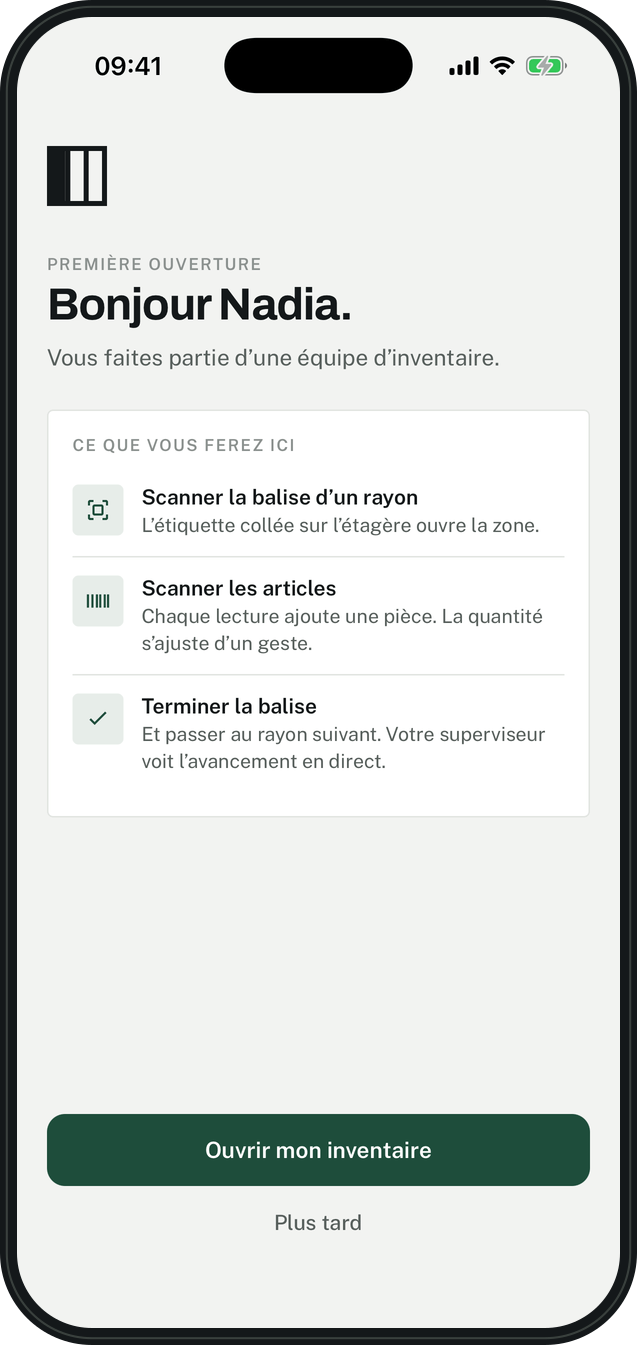
Start the inventory, the team follows
The supervisor creates the store’s inventory and invites the team. Every counter knows what to do from the first time they open the app.
Multi-store
One inventory per store, started in seconds, and all your stores followed in one place.
Teams
One supervisor, as many counters as needed: up to 100 at the same time on one inventory.
Ready from the first opening
Scan the shelf tag, scan the items, finish the tag: the app shows everyone before they start.
One license per store
The price follows the number of devices counting at the same time. Unlimited accounts and inventories.
Your stock is your main asset
The tool that counts it has to be beyond reproach.
Data in Europe
Hosted in the European Union, with declared providers.
GDPR compliant
Anyone can download their data or delete their account, from the product.
Zero trackers
No advertising cookies. Tracking describes the work, not the people.
Count your first aisle this week
Sign up online, access opens right away.
Your company already uses it? Its administrator gives you access.