Your store’s stocktake, at your fingertips.

Quantinvo gets your team counting stock together, shows progress live and delivers a figure you can trust.

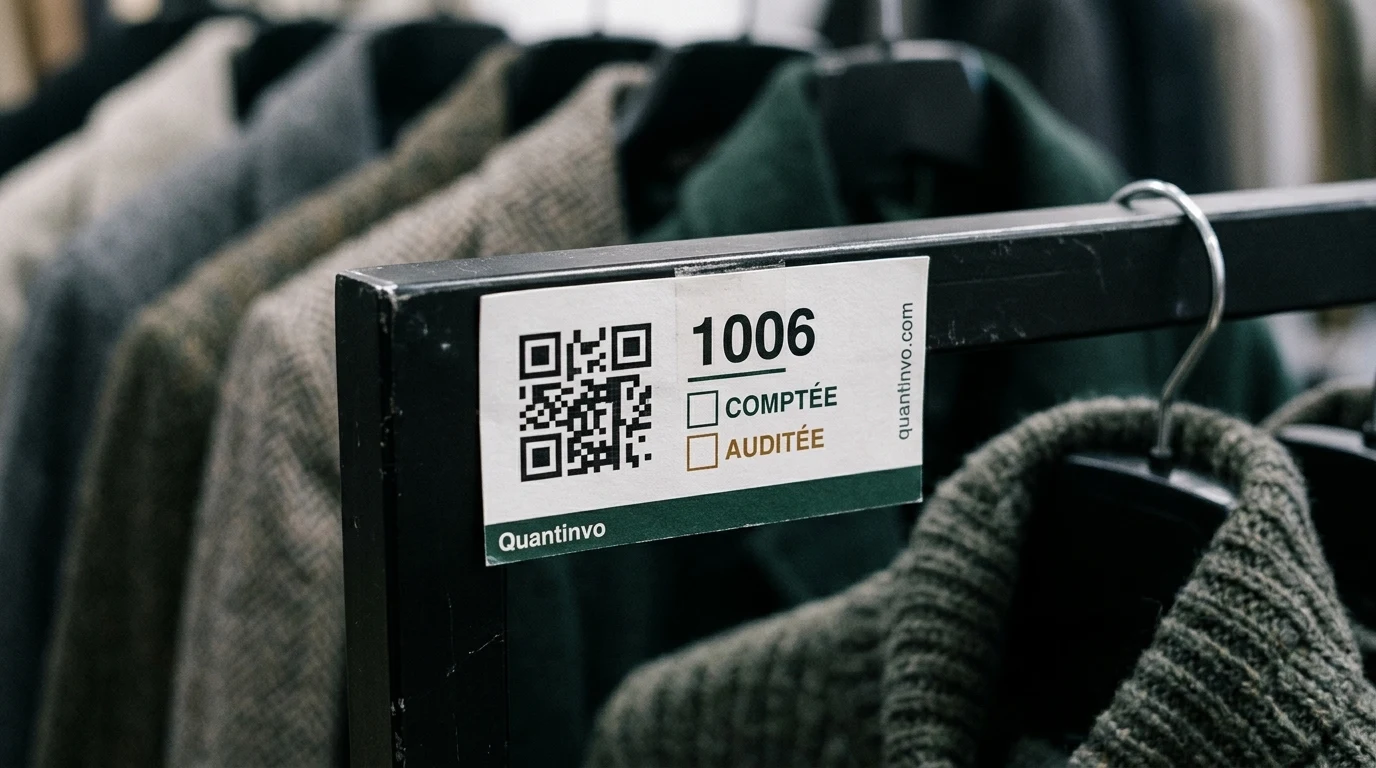
A printed QR label stuck on a shelf rail, with a phone aimed at it

More than a scanner.

The phone becomes the scanner

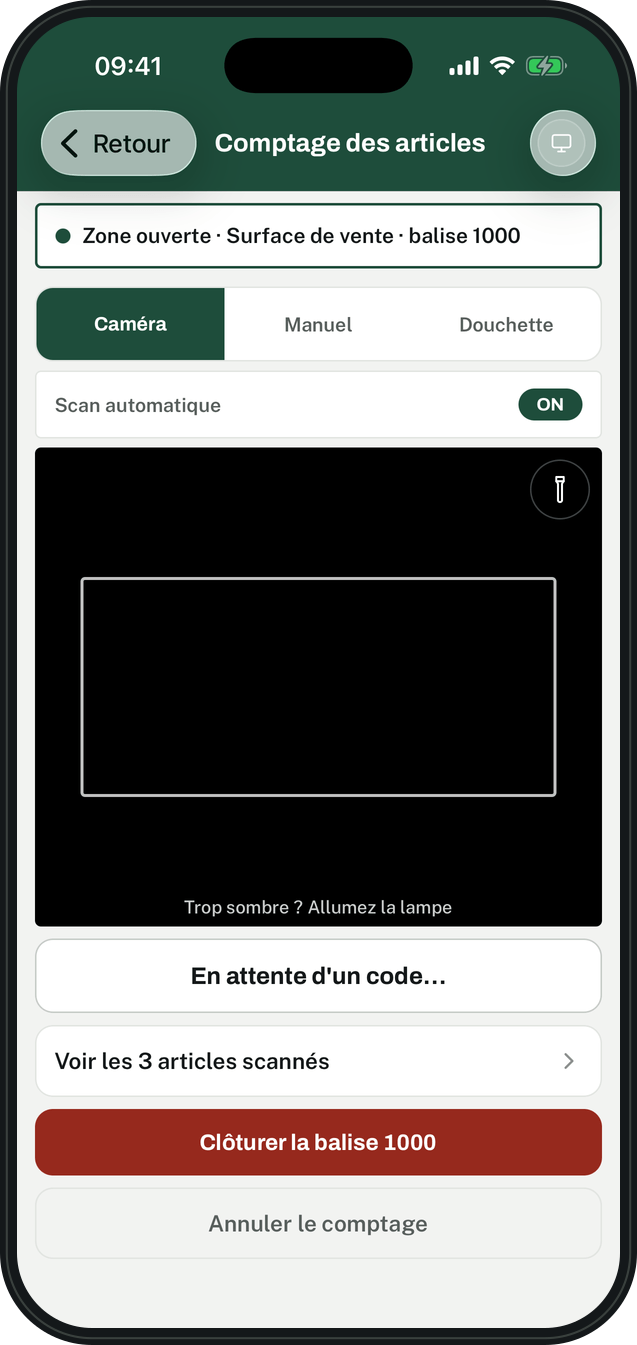
Camera, Bluetooth scanner or keyboard: everyone counts with what they have.

The app’s counting screen, in an aisle

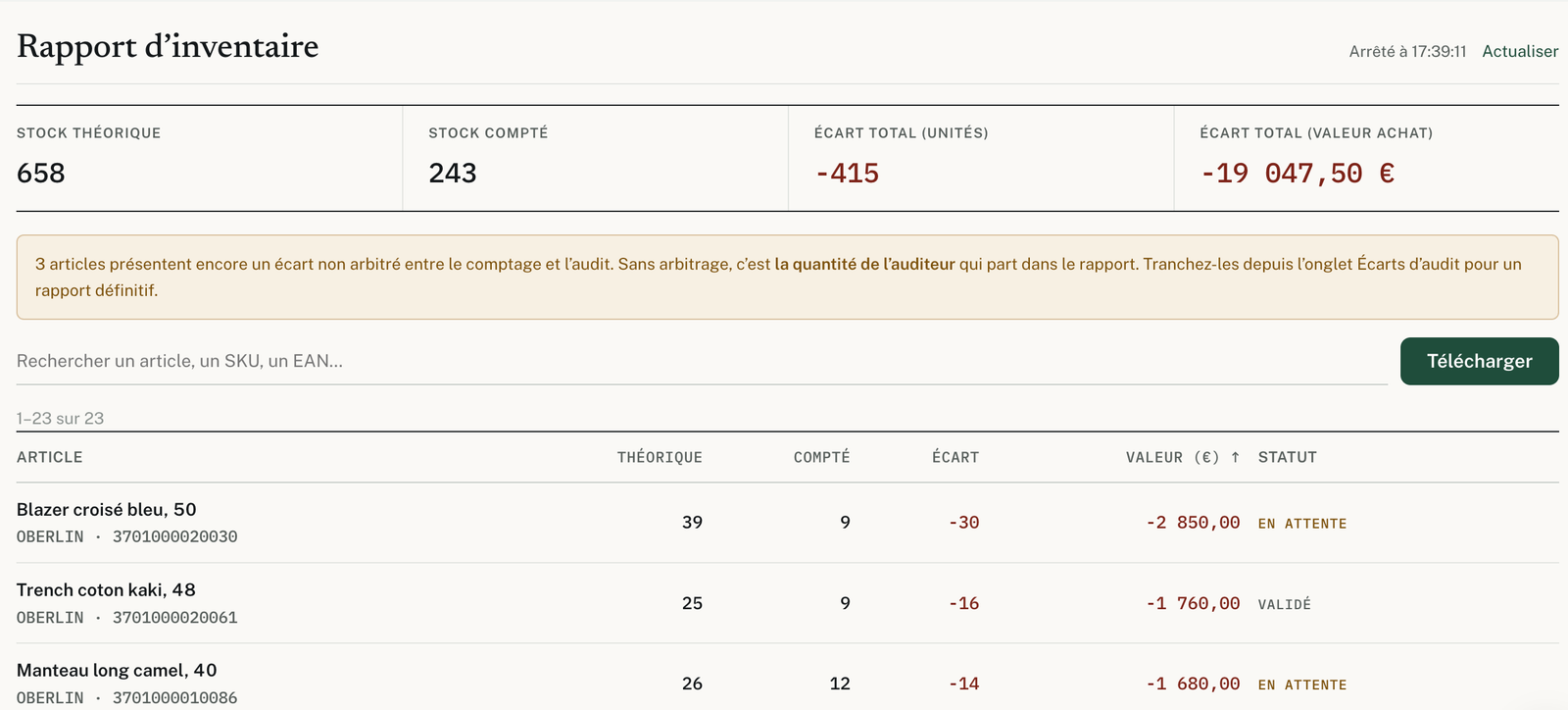
Variances, in units and in value

Counted stock is compared with expected stock, item by item.

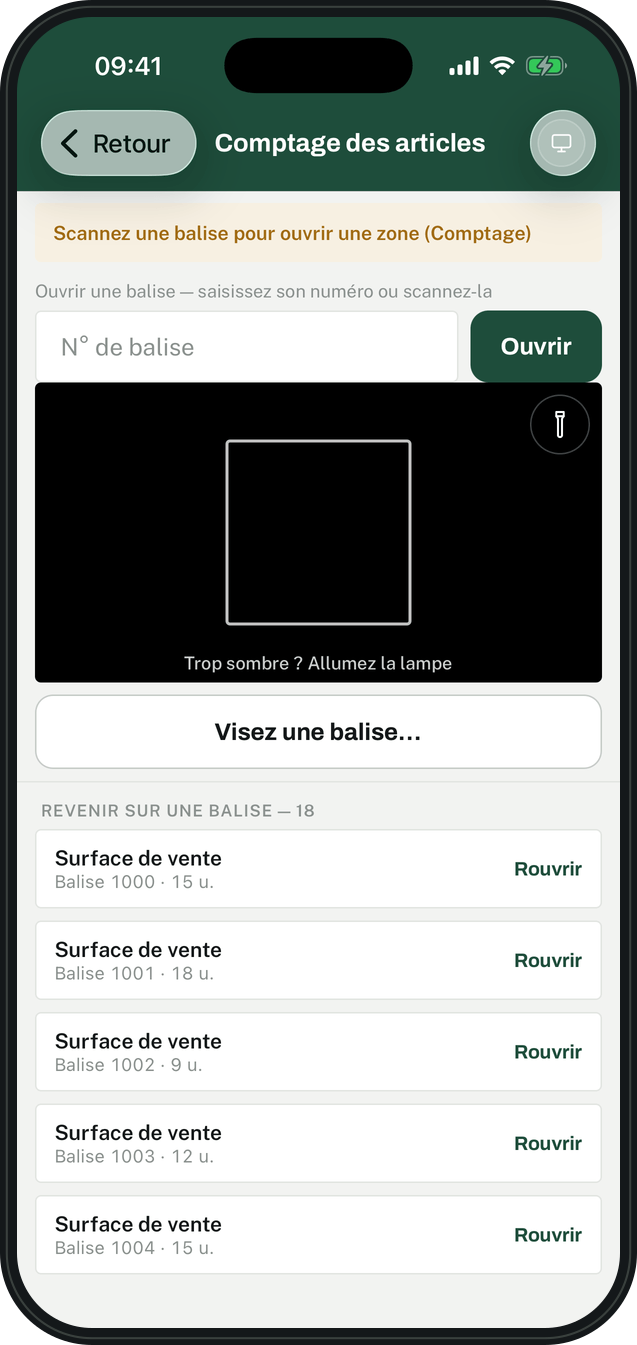
Each aisle opens with a scan

One label per location: scan it, count, close.

The screen that opens a zone: aim at the aisle label

Even without signal

In the stockroom, scans wait on the phone and go out when the signal returns.

A report you can rely on

The Excel export of variances, ready for your management software.

The stocktake report on the website: book stock, counted stock, variances in units and in value, item by item

Built for every role

Write to us

The counter

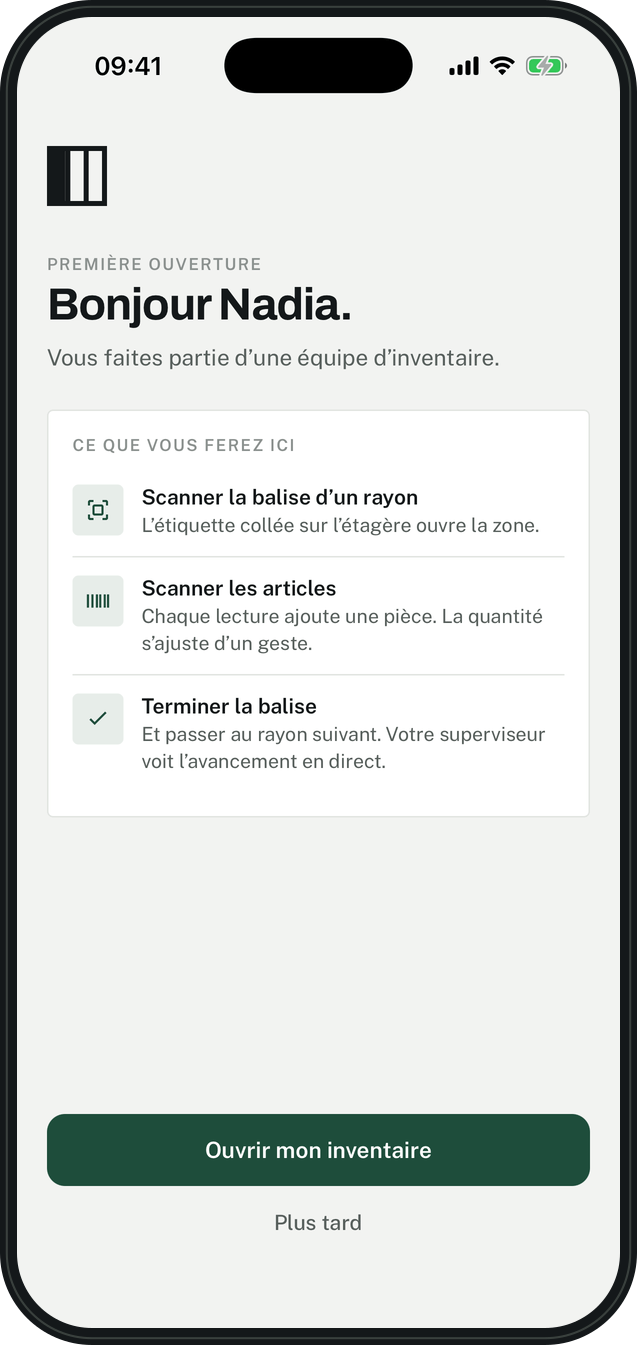
They join the stocktake with a code, and count their zone.

A counter's first time opening the app: the three things to do

The supervisor

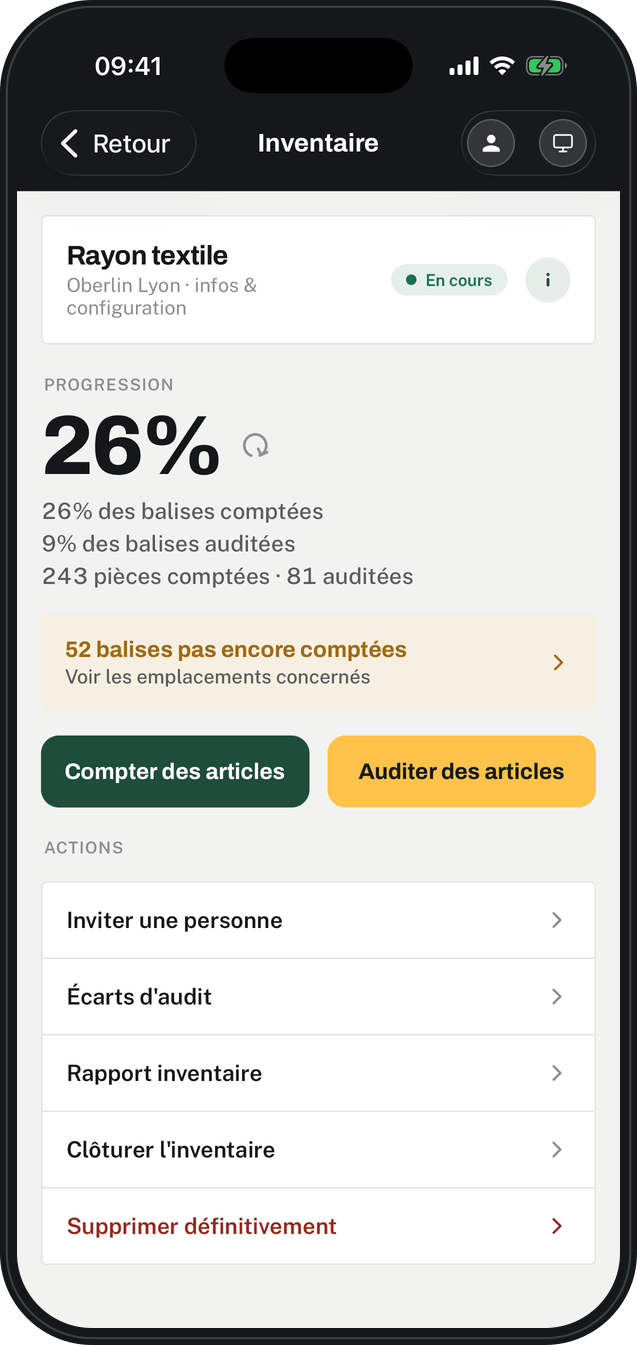
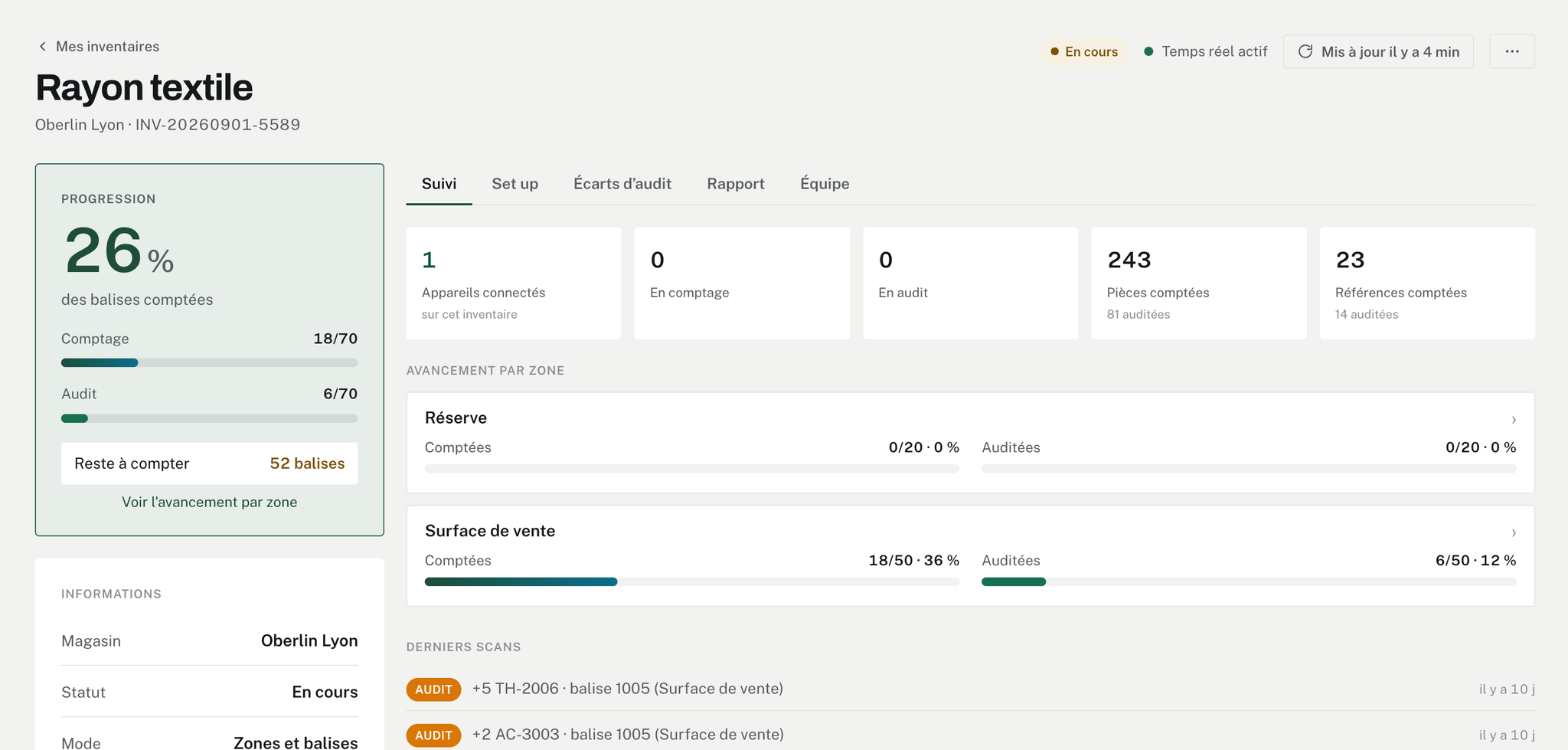
They prepare the stocktake, follow it live and settle the variances.

An inventory's page in the app: progress, remaining tags and actions

The administrator

They open stores, invite teams and manage the subscription.

An inventory's live view on the site: progress, progress by zone and latest scans

The whole stocktake, from file to report

Import your stock

Your software’s file, as it is, in CSV or Excel.
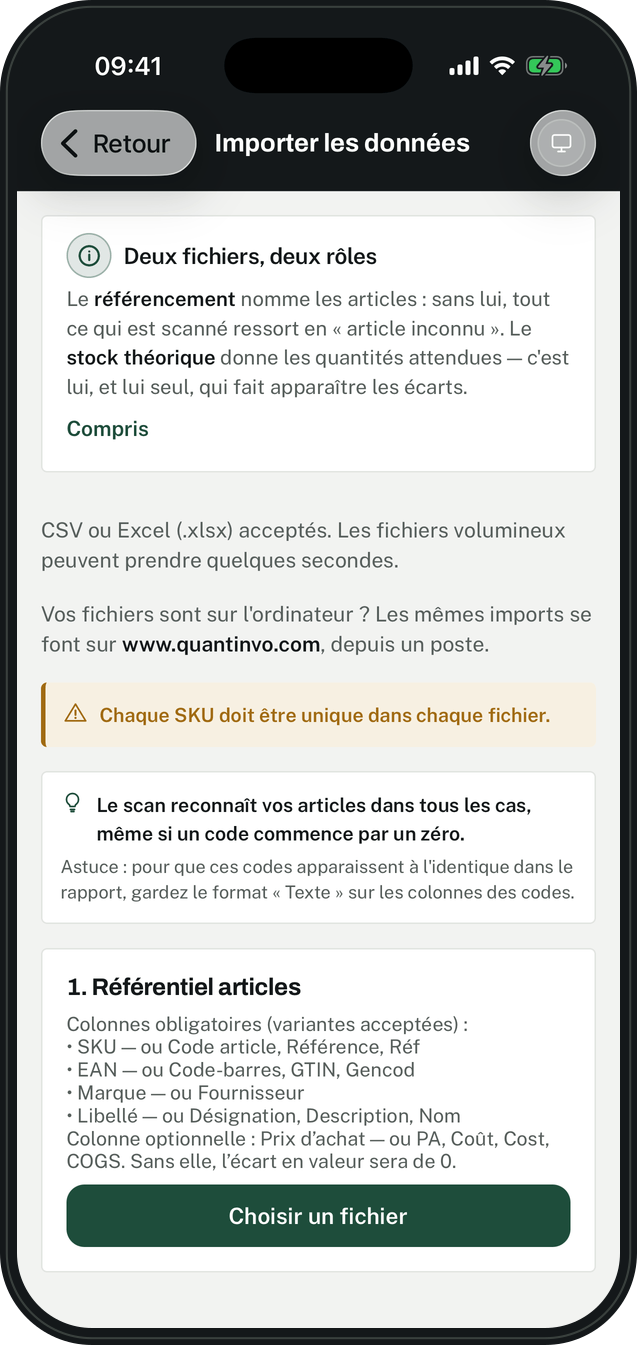
The import screen: the two files expected and the column names recognised

Print the tags

A sheet of QR labels, used for all your stocktakes.
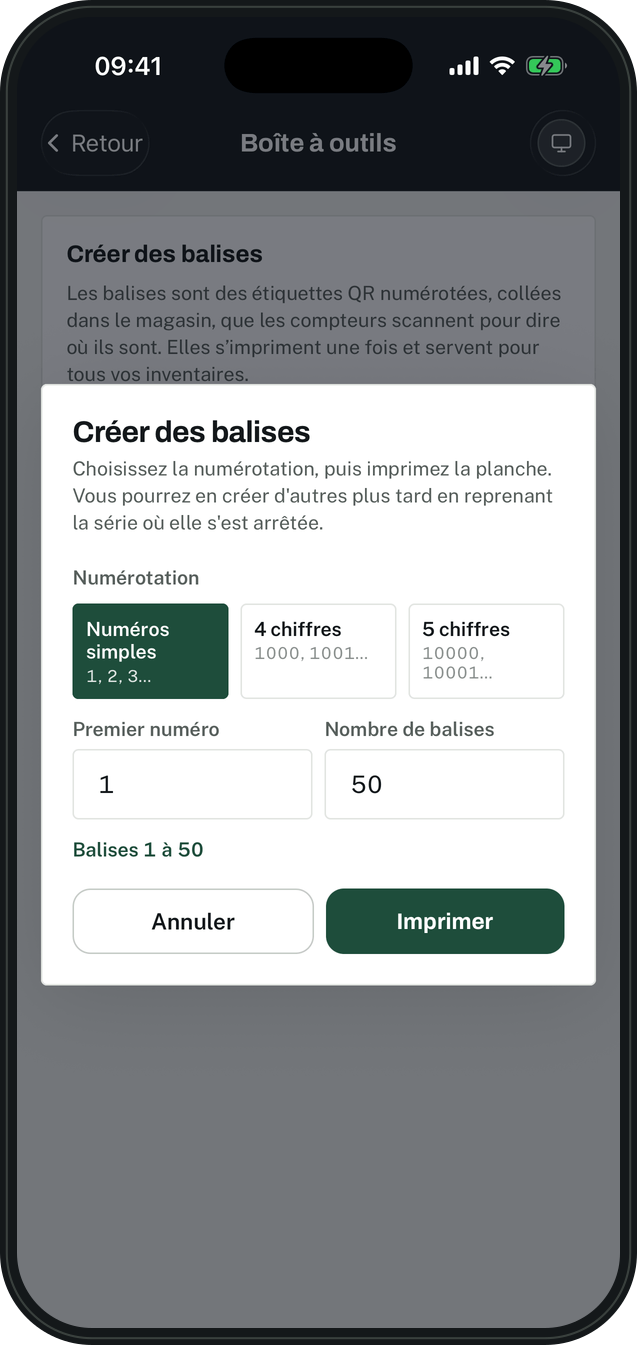
Creating a series of tags: numbering, first number, quantity

Group them by zone

Sales floor, stockroom: every tag has its place.
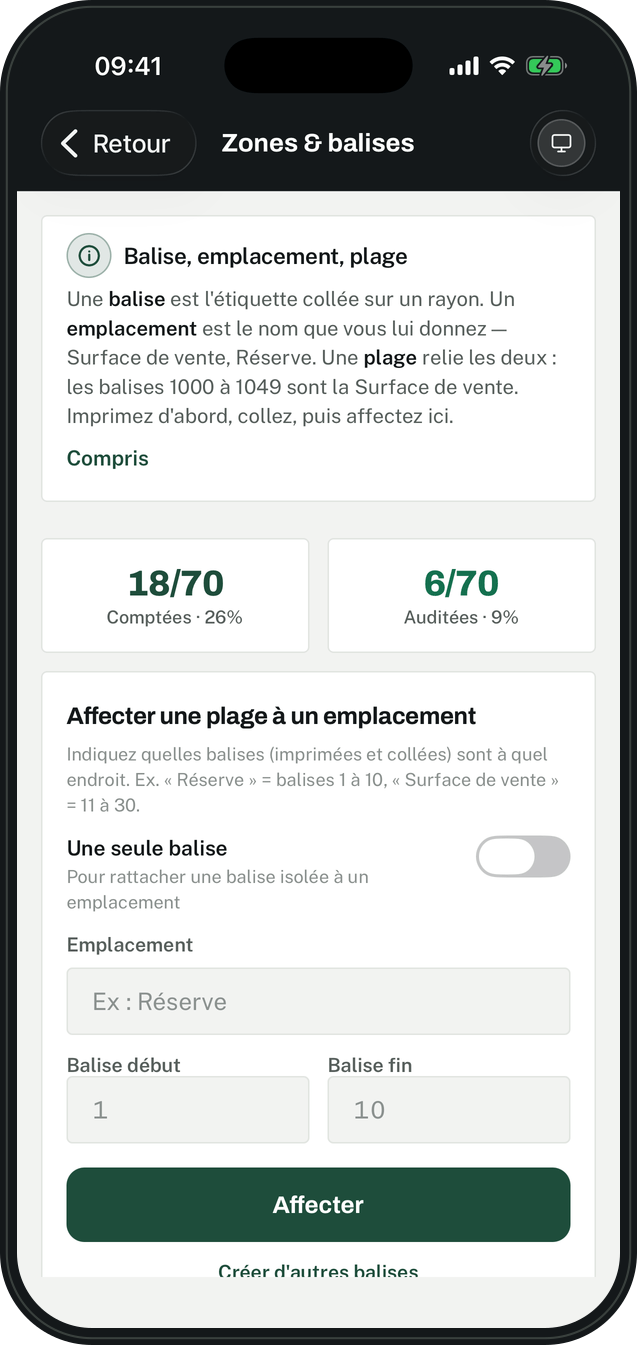
The Zones and tags screen: a range of tags assigned to a location

Settle the variances

Count and audit are compared, you keep the right figure.
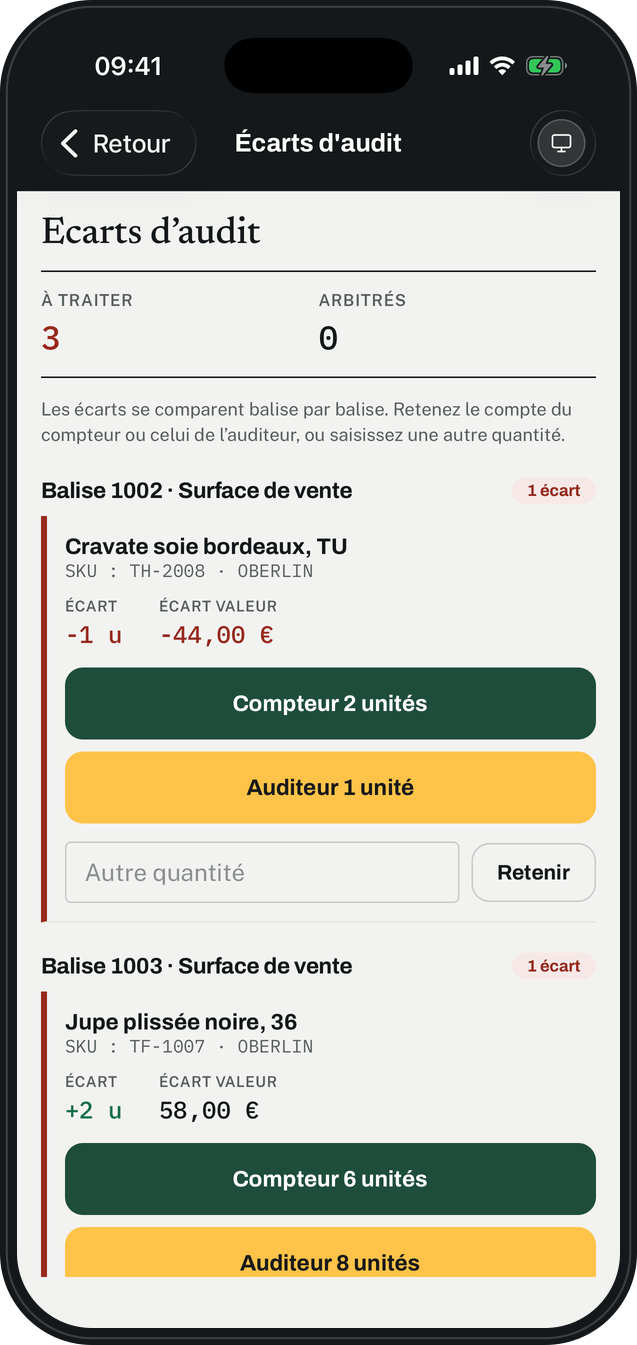
Audit variances: the counter's figure, the auditor's, and the quantity kept

Get the report

Expected stock, counted stock, and the variance in value.
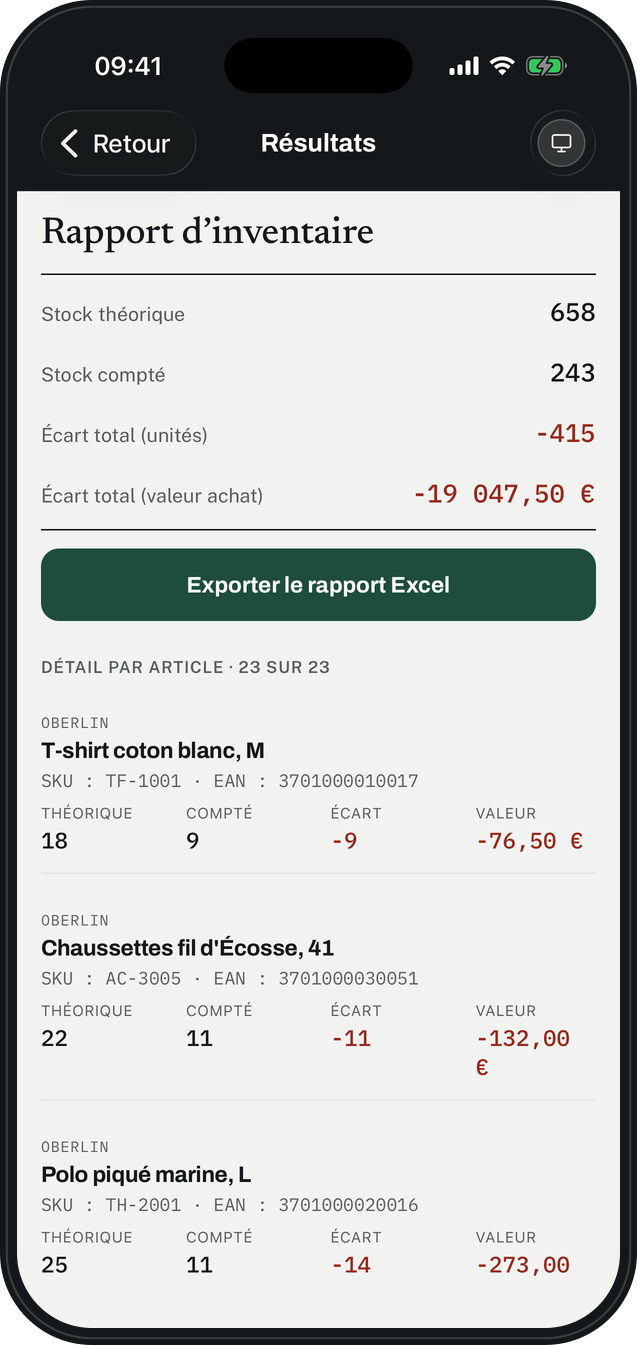
The inventory report: expected stock, counted stock, variance in units and in value

Your software and Quantinvo, side by side

Quantinvo reads your software’s file, and gives it back an export ready to correct the stock.

One store, then the whole network

  • One license per store, chosen by the size of its team
  • An administrator who sees every store in the company
  • Separate roles: supervisor and counter
  • A report per stocktake, and a consolidated report per store

Quantinvo in questions

What is Quantinvo?

A stocktaking tool for retail: an app to count, a website to prepare, follow and export.

Who is Quantinvo for?

Stores and store networks that count their stock, from the boutique to the warehouse.

Do we need to buy hardware?

One phone or tablet, iPhone or Android, per person who counts.

Is Quantinvo available in English?

Yes: the app and the website speak French and English.

Where is our data?

In the European Union, with no advertising trackers. Everyone can download their data or delete their account.

How much does Quantinvo cost?

One license per store, from 89 € a month. Accounts and stocktakes are unlimited.

Make your stock reliable with Quantinvo

Sign up online, access opens right away.